
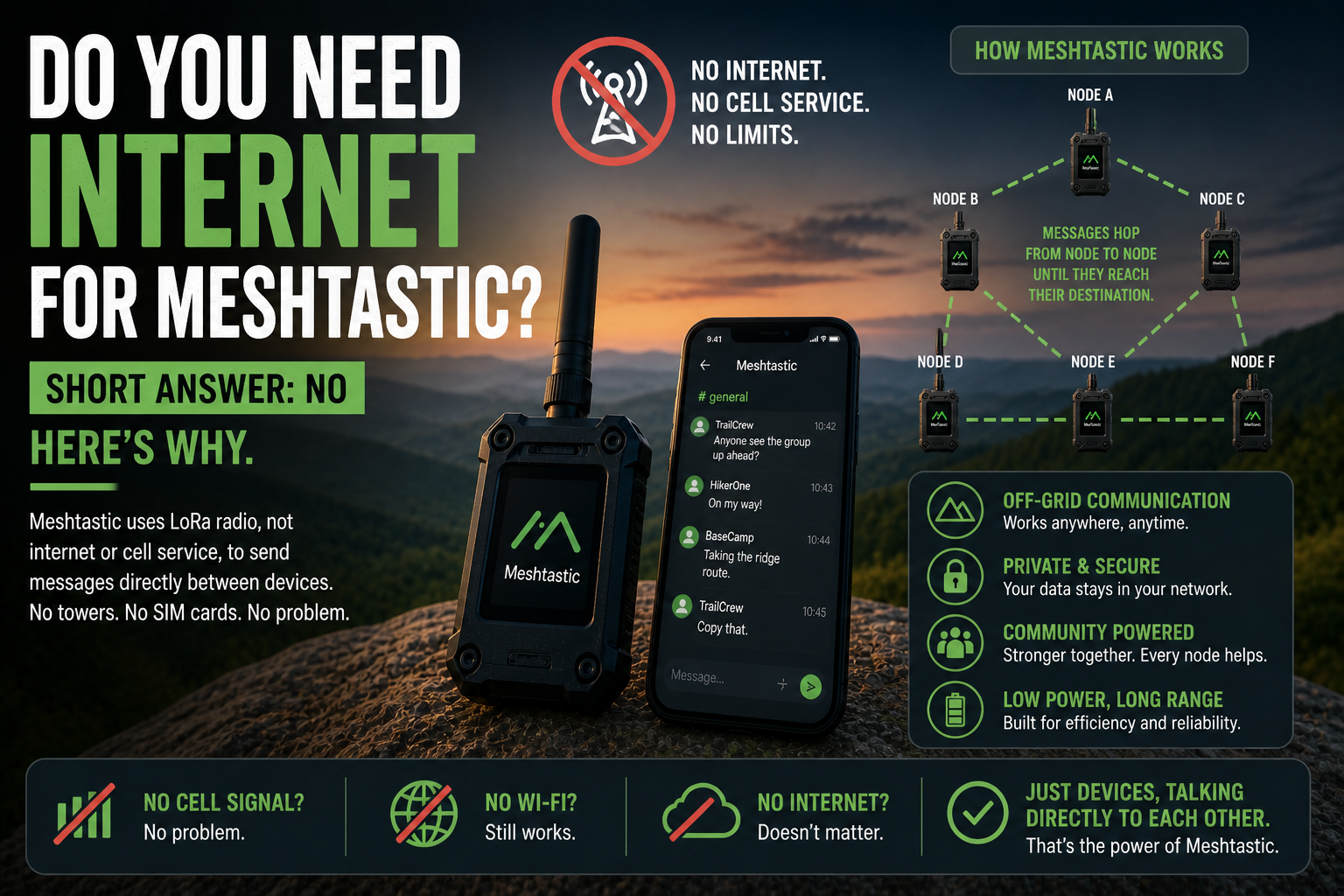
One of the most common questions from people discovering Meshtastic for the first time is whether it needs a phone signal or internet connection to work. The answer is no, and understanding why changes how you think about the whole thing.
Meshtastic is a genuinely off-grid technology. Not mostly off-grid, not off-grid with caveats. When your devices are set up and talking to each other, there is no server involved, no mobile tower, no router, no cloud. Messages travel directly through radio signals between devices, and that is it.
How it works without the internet
Meshtastic uses LoRa radio to communicate. LoRa is a low-power radio technology that works in unlicensed frequency bands, the same broad category as Wi-Fi or Bluetooth but at much lower frequencies and much longer ranges. When you send a message, your phone passes it to your Meshtastic device over Bluetooth, and that device broadcasts it as a radio signal.
Other Meshtastic devices in range pick up that signal and relay it along. No part of this process touches the internet. The message is just radio waves moving through the air from one device to the next.
This is not a workaround or a fallback mode. It is how Meshtastic works. The internet is simply not part of the picture.
What the app does need internet for
There is a small exception worth being clear about. The Meshtastic phone app can display your position and the positions of other nodes on a map. If you want that map to show actual terrain, roads, and place names, your phone fetches map tiles from the internet.
But this is the map display only. The messaging, the GPS position sharing between nodes, the node list: all of that works completely offline. If you are in a place with no internet and no mobile signal, Meshtastic still functions fully. The map just shows a blank canvas rather than tiles.
Some people cache map tiles in advance for areas they plan to visit. Others do not bother. The communication itself never depended on them.
What about the MQTT feature?
Meshtastic does have an optional feature that can bridge a node to the internet via MQTT, a lightweight messaging protocol. This lets a node with internet access act as a gateway, forwarding messages from the local mesh out to a broader networked system, or receiving messages in from it.
This is genuinely optional and requires deliberate configuration. Most Meshtastic setups do not use it at all. For field use, hiking, emergencies, or anywhere that internet access is the problem you are solving, MQTT is simply not relevant. The mesh works without it.
Think of MQTT as an extension for people who want to connect their local mesh to something larger. Not a dependency for anyone who just wants to communicate off-grid.
Why this matters in practice
The fact that Meshtastic needs no internet means it works exactly when you need it most: when everything else has stopped working.
Mobile networks go down in natural disasters. They get congested during large events. They simply do not exist in remote countryside, on open water, or deep in a national park. In all of these situations, anything that depends on a mobile signal fails completely. Meshtastic keeps working.
It also means there is no service that can go down, no company that can decide to switch off the network, no pricing change that can cut you off. As long as the hardware is running, the network exists.
Do other devices on the network need internet?
No. Every device on a Meshtastic network communicates via radio, not via the internet. A relay node sitting on a rooftop does not need a broadband connection. A device someone is carrying in a bag does not need to be on Wi-Fi. The only connection any node requires is power.
This is one of the things that makes community mesh networks so resilient. Each node is independent. Adding a new node to a network does not require any configuration beyond the node itself, and no node is a single point of failure for the others.
What you do need
A Meshtastic-compatible hardware node, charged or powered
The Meshtastic app on a phone, connected to the node via Bluetooth
Other people with compatible nodes if you want to communicate beyond direct radio range
No SIM card. No Wi-Fi. No router. No data plan. No account. No server.
If you have ever wished for a communication tool that works regardless of whether any infrastructure is functioning, Meshtastic is a practical answer to that problem. And the best part is that the more people around you who run a node, the more robust and far-reaching the network becomes, without anyone needing to do anything beyond leaving their device switched on.