
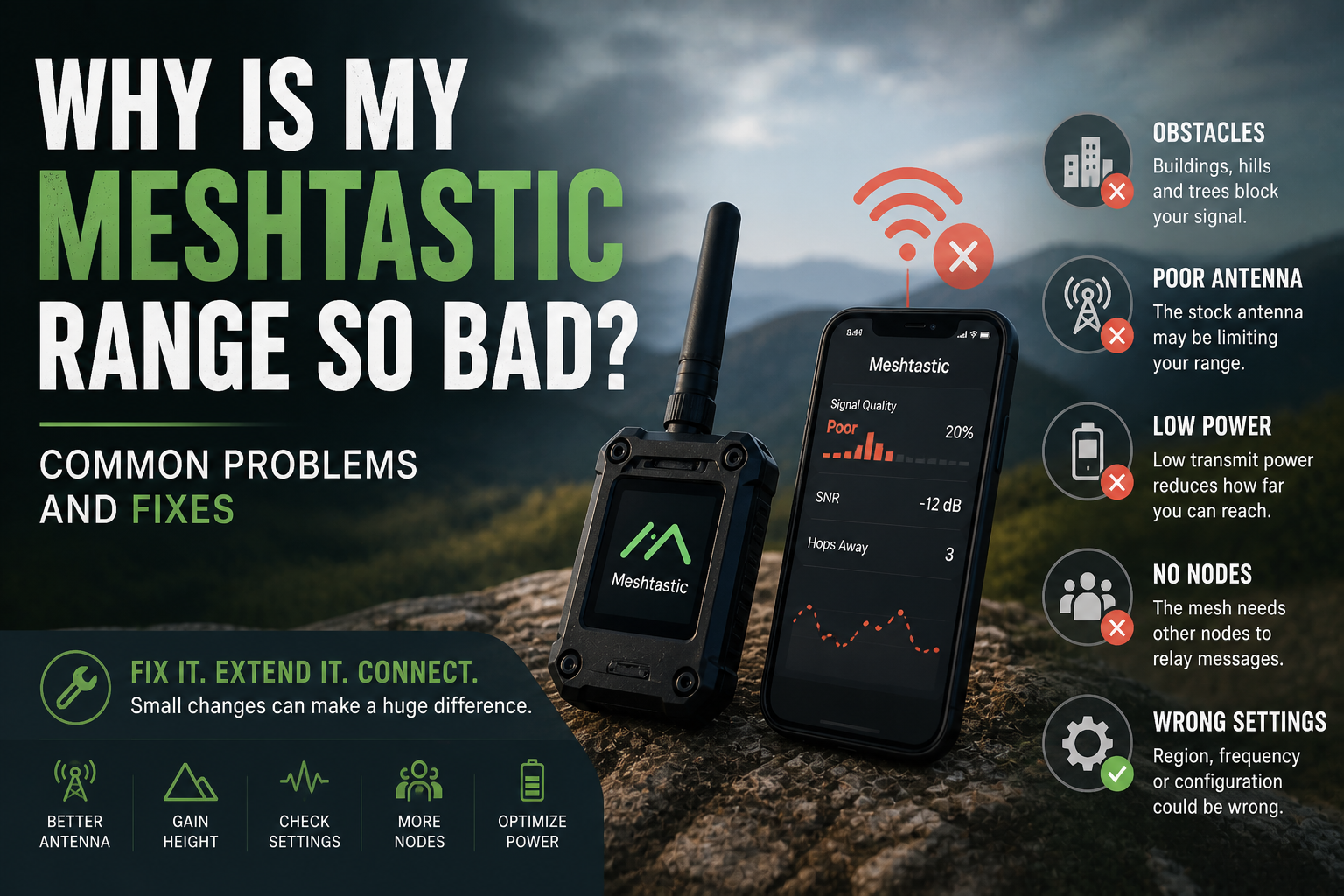
You set up your Meshtastic nodes, open the app, and nothing. Or one node talks to another across your living room just fine, but the moment you step outside, range collapses to a few hundred metres. Something is wrong, but what?
Poor Meshtastic range is one of the most common complaints from new users. It is almost always fixable, and usually the culprit is one of a small handful of issues.
The stock antenna is almost always the problem
If you have not changed the antenna on your device, start here. The small rubber stub antennas that ship with most Meshtastic hardware are genuinely poor. They are designed to be cheap and compact, not to radiate efficiently. Swapping to a decent aftermarket antenna, even a basic fiberglass one, can double or triple your usable range overnight.
Look for an antenna matched to your region's frequency. In Europe that is 868 MHz. In the US it is 915 MHz. A 433 MHz antenna on an 868 MHz device is not just slightly wrong, it is actively bad for range and can stress the radio hardware.
A correctly matched antenna with a reasonable gain figure (3 to 5 dBi for most use cases) will make a bigger difference than almost any other single change you can make.
Height matters more than you think
LoRa, the radio technology underneath Meshtastic, is a line-of-sight signal. Not strictly so: it can punch through walls, trees, and light terrain. But the more obstruction between two devices, the more signal you lose, and range suffers badly when devices are sitting on a desk, in a pocket, or surrounded by buildings.
Getting a node even a few metres higher off the ground can dramatically extend its reach. A node on a windowsill will easily outperform the same node sitting in the middle of a room. A node on a rooftop or mounted on a pole can cover a kilometre or more in built-up areas that would otherwise swallow the signal entirely.
If you have a fixed node, think about where it physically sits. Height is free. Use it.
Your radio settings might be working against you
Meshtastic ships with sensible defaults, but the defaults are tuned for a balance between speed and range. If you are in a quiet area with few nodes and you want maximum reach, you can push range further by adjusting a few settings.
The most impactful is the modem preset. Presets like Long Fast and Long Slow trade data rate for range. The slower presets use higher spreading factors, which means the radio spends longer on each bit and the signal becomes more resistant to noise. The tradeoff is slower message delivery, but in a sparse network that is usually fine.
Transmit power is another lever. Some devices run at reduced power by default, either for regulatory compliance or battery life. Check your TX power setting and make sure it matches what is legal in your region, and what the hardware actually supports.
You might be on the wrong channel width or frequency
Channel width affects both range and regulatory legality. Narrower channels (125 kHz) generally give better range than wider ones (500 kHz). Most Meshtastic presets use 250 kHz as a middle ground, but if everyone in your area is running Long Slow at 125 kHz and you are running a different preset, your devices will not hear each other at all, regardless of physical distance.
Make sure all nodes in your network are on the same preset and channel configuration. This sounds obvious, but it trips up a lot of people when they mix devices configured at different times or by different people.
The environment is absorbing your signal
Trees are worse than most people expect. Dense woodland is genuinely hostile to LoRa signals, especially in summer when the leaves are full of water. A kilometre through open farmland and a kilometre through forest are not the same proposition at all.
Urban environments present their own version of this problem. Concrete and steel attenuate the signal heavily. In a dense city, expect a few hundred metres between nodes rather than several kilometres. A node on a rooftop can bridge the gap, but a node in a ground-floor flat trying to talk to another node three streets away is going to struggle.
Terrain also counts. A hill between two devices is effectively an impenetrable barrier. Hills in front of your antenna are far more damaging than buildings, because you cannot work around them the same way.
Device placement you have not thought about
Devices in pockets, bags, and metal enclosures all lose significant range. The human body in particular is excellent at absorbing radio signals, so a phone with Meshtastic running while it is sat in your back pocket is already working at a disadvantage.
Keeping the device near the top of a bag, with the antenna pointing upward or outward, makes a practical difference. For backpack hiking setups, mounting the node on a shoulder strap or the outside of the pack rather than buried at the bottom is worth doing.
For fixed installs, avoid metal boxes unless the antenna is outside the box. An antenna inside a metal enclosure is a short antenna. The signal has nowhere to go.
Realistic expectations for different environments
Before troubleshooting further, it is worth knowing what reasonable range actually looks like in different settings:
Dense urban area, ground level: 200 to 600 metres between nodes
Suburban area, decent antenna: 1 to 3 km
Open rural, good antenna and height: 5 to 15 km
Hill-to-hill with elevated nodes: 30 km or more
If your results are well below these numbers and you have already checked the antenna, look at the radio settings and physical placement next. If you are within these ranges, you might just be experiencing the environment, not a fault.
Build the network around the constraints
One of the design principles of Meshtastic is that coverage comes from density. A single node can only do so much. But place a few nodes strategically, particularly elevated ones that can bridge between areas, and gaps close quickly.
If you are dealing with a specific dead zone, the fix is often not a better antenna on the endpoint, but a relay node placed between the two points that cannot see each other. A Meshtastic node on a rooftop in the right spot can bridge two neighbourhoods that would otherwise be completely out of range of each other.
Poor range in a new network is usually a sign that the network is still being built. Every new node that goes up in a sensible location makes the whole thing more robust for everyone around it.