
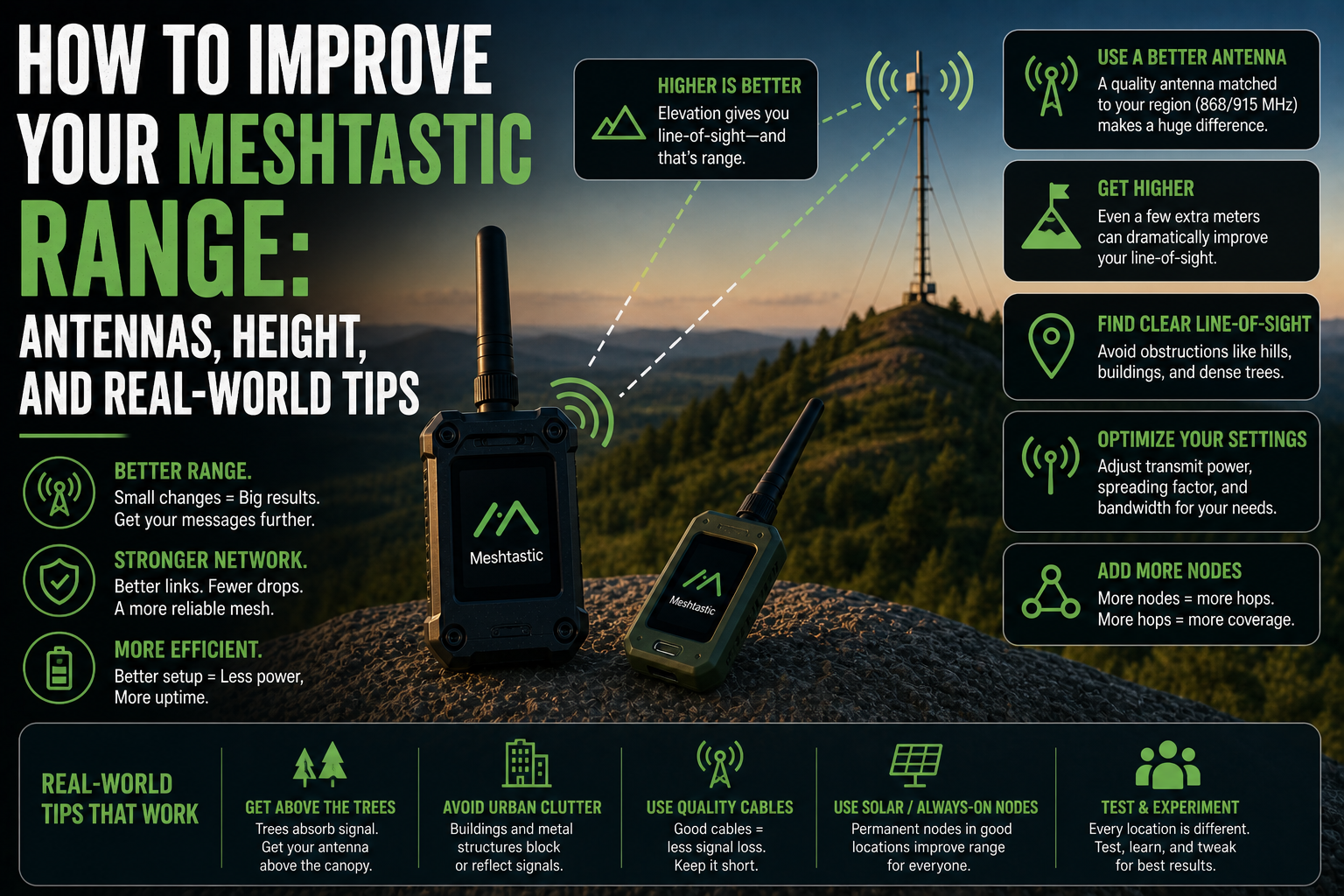
You set up your first Meshtastic node, send a message, and it reaches your friend two streets away. Decent. Then you take it on a walk in the countryside and barely get 500 metres before the connection drops. Meanwhile, someone on Reddit is casually posting 40 km links. What are they doing differently?
Improving your Meshtastic range is one of the most satisfying parts of getting into the hobby. The biggest gains come from a handful of straightforward changes, not expensive hardware upgrades. If you want to improve your Meshtastic range, start with your antenna, then think about height, then think about what is between you and the other node.
Why the stock antenna is holding you back
The small antenna that ships with most Meshtastic-compatible hardware, typically a short stubby rubber antenna, is fine for getting started. It is not fine for getting range. These antennas are often poorly matched to the LoRa frequency your device is using, which means a significant chunk of the transmit power is wasted before the signal even leaves the device.
Switching to a quality aftermarket antenna tuned to your region's frequency (868 MHz in Europe, 915 MHz in the US) is the single cheapest and most impactful upgrade you can make. A well-matched quarter-wave or half-wave whip antenna, or a small fibreglass antenna with a few dB of gain, can dramatically improve both transmit distance and receive sensitivity.
A few things matter when choosing an antenna:
Make sure it is tuned to your correct regional frequency band
Check the connector type matches your device (SMA, RP-SMA, IPEX/U.FL)
More gain (measured in dBi) is not always better: high-gain antennas have a narrower radiation pattern, which can hurt performance in hilly terrain
Longer is generally better, up to a practical limit of around 1 metre for a vertically mounted whip
Height is the most powerful free upgrade
Radio signals travel in roughly straight lines. They do not bend around hills, and they struggle with dense buildings, trees, and terrain. Getting your antenna higher up means it can see more of the world around it, with fewer obstacles in the way.
This effect is not subtle. Moving a node from ground level to a first-floor window can double usable range. Getting it onto a rooftop can multiply it several times over. Mounting a permanent node on a chimney or a pole at height transforms it into a local relay that other nodes in the area can reach reliably.
Even temporary height matters. When you are hiking, holding your phone and device at chest height is much worse than clipping it to a shoulder strap or backpack lid where it has a clearer sky view. On a hill, the antenna has a better chance of reaching the next node, sometimes by tens of kilometres if there is genuine line of sight.
Line of sight: the thing most people underestimate
LoRa is impressive at pushing through obstacles compared to Wi-Fi or Bluetooth, but it is not magic. Walls, trees, and hills all attenuate the signal. Multiple layers of obstruction, such as a dense urban environment, a forest, or a valley between two hills, compound quickly.
Line of sight means the two antennas can essentially see each other without a solid obstacle directly in between. True line of sight at height is what produces those headline-grabbing long-distance links. But even a partial improvement, like raising a node just enough to clear a roofline or a treeline, can make a real difference.
If you are trying to link two specific points, use a mapping tool or a basic line-of-sight calculator to check whether the terrain is actually workable before spending time troubleshooting the radio side.
Spreading factor and transmit power settings
Meshtastic uses a setting called spreading factor, a LoRa configuration that trades data rate for range. A higher spreading factor means the signal is more resistant to noise and can be decoded at much lower signal levels, at the cost of slower transmission.
The default Long Slow preset used by most Meshtastic networks is already well-tuned for range. Switching to Long Moderate or Long Fast will give you faster message delivery but reduced range. Unless you have a specific reason to change it, leave the modem preset on the network default.
Transmit power is worth checking if you are using a device that runs at lower power by default. Raising it helps, but the return diminishes quickly: doubling power only adds a few dB of effective range, and it drains the battery faster. Height and antenna quality give you more range per pound or euro than a power bump.
Repeater nodes: when individual range is not enough
Sometimes the geography just does not cooperate. A valley, a dense town, a long distance: no antenna tweak will bridge a path that lacks line of sight. That’s where the mesh part of Meshtastic comes into its own.
A repeater node sits somewhere with good elevation and re-broadcasts messages to extend the network reach. A single well-placed repeater on a hill or a building rooftop can connect parts of a mesh that would otherwise be completely isolated.
Running a repeater does not require much: a small solar-powered setup with a good antenna at height can run indefinitely and cover a large area. Several people in a region setting up nodes like this is how larger community Meshtastic networks stay connected.
The honest reality check
The 30 to 50 km links you see posted online are real, but they require near-perfect conditions: high elevation on both ends, flat terrain or open water between them, quality antennas, and ideally no interference. In a normal urban or suburban environment with handheld devices and stock antennas, 1 to 3 km is a more realistic expectation.
That is not a limitation so much as a baseline. With a rooftop repeater node, a well-tuned antenna on your portable device, and a friend with a similar setup, covering a 10 to 15 km radius in the right terrain is very achievable. The numbers are not a ceiling: they are just what the physics looks like without optimisation.
Range is also affected by how many nodes are active in the mesh, interference from other devices on the same frequency, and even local weather. These factors are harder to control, but they explain why the same route might work one day and not the next.
Where to start
If you are working through this practically, the order of priority is: first check your antenna and replace it if it shipped with the device, then get the node as high as possible, then consider whether a fixed repeater node at elevation would help your area. Radio settings are worth revisiting last, but they will not rescue a poor physical setup.
The people getting the impressive range figures are usually not running exotic hardware. They have found a good spot, put a decent antenna on it, and let the physics do the work.