
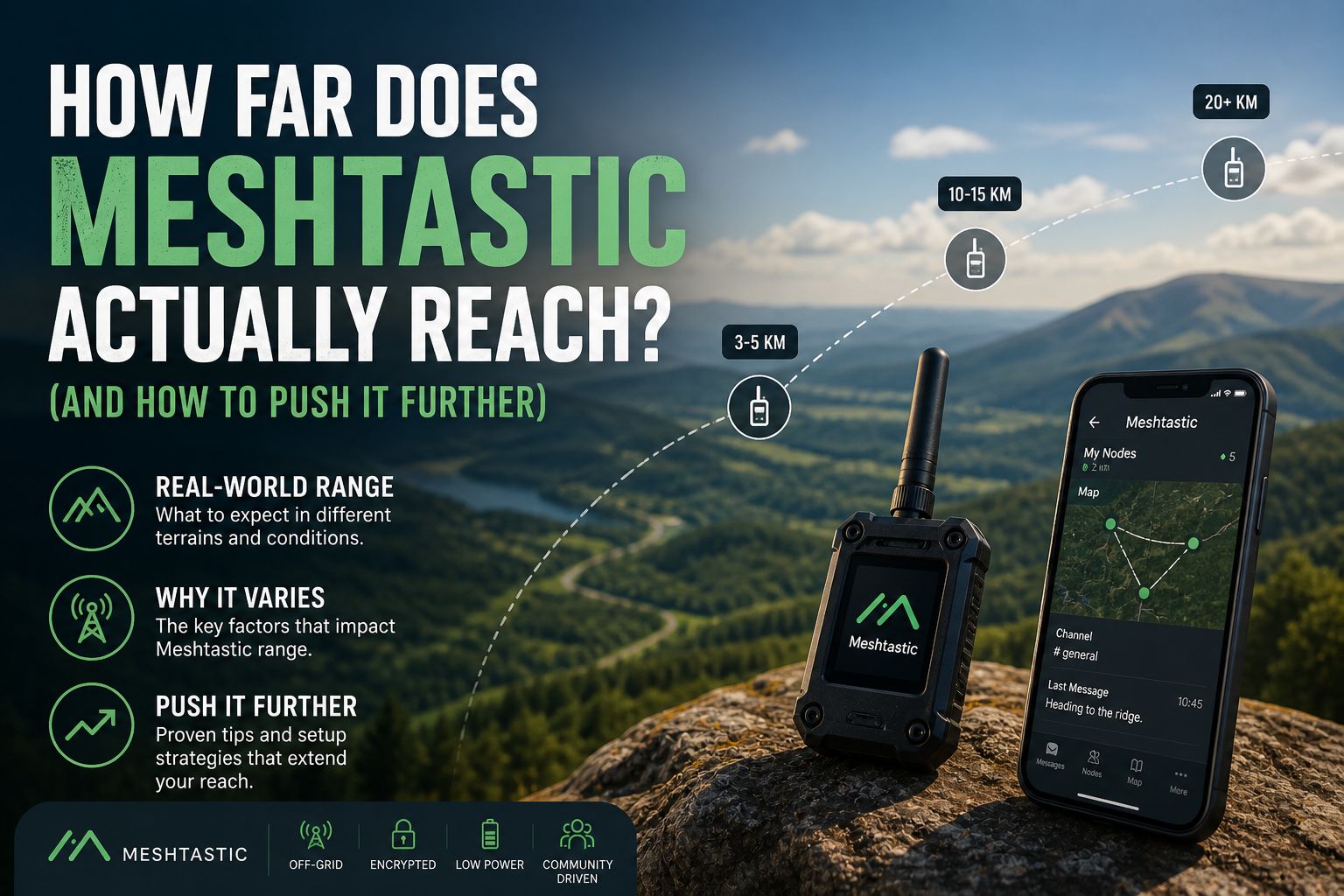
The honest answer is: further than you'd expect, but probably not as far as the best stories you've read online. Let's break down what's real, what's hype, and, more usefully, what you can actually do to improve your range from day one.
The Short Answer
In good conditions, a single Meshtastic hop can cover anywhere from a few kilometres to well over 20 km. With multiple nodes relaying your message across a mesh network, that range can extend almost indefinitely.
But "good conditions" is doing a lot of heavy lifting in that sentence.
Why Range Varies So Wildly
Two people can buy the exact same hardware, set it up the same week, and one gets 15 km links while the other struggles to reach the end of their street. It's not a fault. It's just radio.
LoRa, the radio technology Meshtastic runs on, is phenomenally good at covering long distances, but it's still physics. A few things shape your real-world range more than anything else.
1. Line of sight is everything
Radio loves open air. The moment you put something solid between two nodes, like a hill, a row of terraced houses, or a dense patch of woodland, the signal takes a hit.
This is why people in flat rural areas report 20+ km hops while city users sometimes struggle to reach a node three streets away. The hardware is identical. The environment is completely different.
2. Height is your biggest cheat code
If there's one thing that will improve your Meshtastic range more than anything you can buy, it's elevation. A node on a rooftop, a hilltop, or even a high window will dramatically outperform the same node sitting on a desk.
Getting a few extra metres off the ground clears obstacles, extends your line of sight, and suddenly your range can double or triple, for free.
Seriously, before you spend money on upgraded hardware, find a higher place to put what you already have.
3. The stock antenna is holding you back
Most Meshtastic boards ship with a basic stub antenna that's fine for getting started, but leaves a lot of performance on the table.
Upgrading to a quality antenna tuned to your regional frequency, 868 MHz in Europe and 915 MHz in the US, is the single most cost-effective range improvement you can make. Some users report doubling or tripling their reach with a £15–£20 antenna swap. Just make sure you match the frequency to your region, and never power on a LoRa device without an antenna attached: transmitting without one can permanently damage the radio.
4. Urban noise vs. rural quiet
Cities are noisy, not just acoustically, but in the radio spectrum. Interference from Wi-Fi, Bluetooth, other radio equipment, and dense building materials all chip away at your effective range.
Rural environments tend to be far quieter, which is one reason countryside users often see dramatically better performance than urban users, even with identical setups.
What Real-World Range Actually Looks Like
Rather than promising a number, here's what Meshtastic users typically report across different environments:
Dense urban areas: a few hundred metres to maybe 2 km between nodes. Buildings are brutal for radio.
Suburban areas: commonly 3–8 km with decent antenna placement and some elevation.
Open rural terrain: 10–20 km hops are routine. Some people push significantly further.
Hilltop to hilltop, or elevated infrastructure nodes: exceptional links over 30+ km are documented and repeatable in the right conditions.
None of these are guarantees. They're snapshots of what's possible in those environments. Your results will depend entirely on your local geography.
The Part Most Beginners Miss: Hopping
Here's where it gets interesting, and where Meshtastic's design really starts to shine.
Your message doesn't have to reach its destination in a single hop. It bounces between nodes automatically. So even if your device only covers 3 km, and the next node covers another 3 km, and the next one does the same, your message can travel 9 km without any single link doing anything impressive.
By default, messages hop up to three times. You can increase this to seven, though pushing it too high on a busy network can cause congestion, so keep the default unless you have a good reason to change it.
This is the mesh part of the network, and it fundamentally changes how you should think about range. It's not about how far your device can reach. It's about how many nodes exist between you and where you want to communicate.
Which brings us to the most underrated factor of all.
Range Is Something You Build, Not Something You Buy
A lot of new Meshtastic users focus on hardware: which chip, which board, which antenna. And hardware matters. But the biggest range multiplier is the community around you.
Every person who leaves their node running at home is a free relay point for everyone else. A well-placed always-on node on a rooftop or hill doesn't just help its owner. It extends the network for every other node in its radius.
This is why established Meshtastic communities in some cities have remarkable coverage despite the urban challenges. They've built it node by node over time by people who just left their devices plugged in.
A Practical Checklist: Improve Your Range Today
Before upgrading hardware, run through this list. Most of these cost nothing:
Move your node higher. Even a metre or two makes a difference. A windowsill beats a desk. A loft beats a ground floor. A rooftop beats everything.
Point your antenna vertically. LoRa antennas are omnidirectional and work best when held vertically. Lying a device flat reduces its effective range.
Reduce obstacles between you and other nodes. Can you move your home node to a window facing the direction most of the mesh traffic comes from? Even that can help.
Upgrade your antenna. Once placement is optimised, a quality-tuned antenna is your next best investment, before any hardware upgrade.
Check your firmware. Running outdated firmware can cause instability and performance issues. Flash the latest stable version using the Meshtastic Web Flasher before assuming your hardware is the problem.
Contribute a router node. If you have a Raspberry Pi, a spare node, or even a device you're not carrying, set it up as a dedicated router at the highest point you can manage. You'll improve your own coverage and help everyone else in range.
So, How Far Does Meshtastic Reach?
As far as the terrain, the placement, and the community around it allow.
That's not a cop-out: it's actually what makes Meshtastic interesting. Unlike mobile networks where coverage is something a corporation decides and sells to you, Meshtastic coverage is something you and your neighbours build together.
In some places it spans kilometres with a single node. In others, it quietly stretches across entire landscapes because dozens of people left their devices running.
Once you understand that, the question shifts. It's no longer how far does Meshtastic reach?
It becomes: how far could it reach if more people around me were running it?
And then you start leaving your node on. And then you start talking to your neighbours about it. And then the range just keeps growing.