
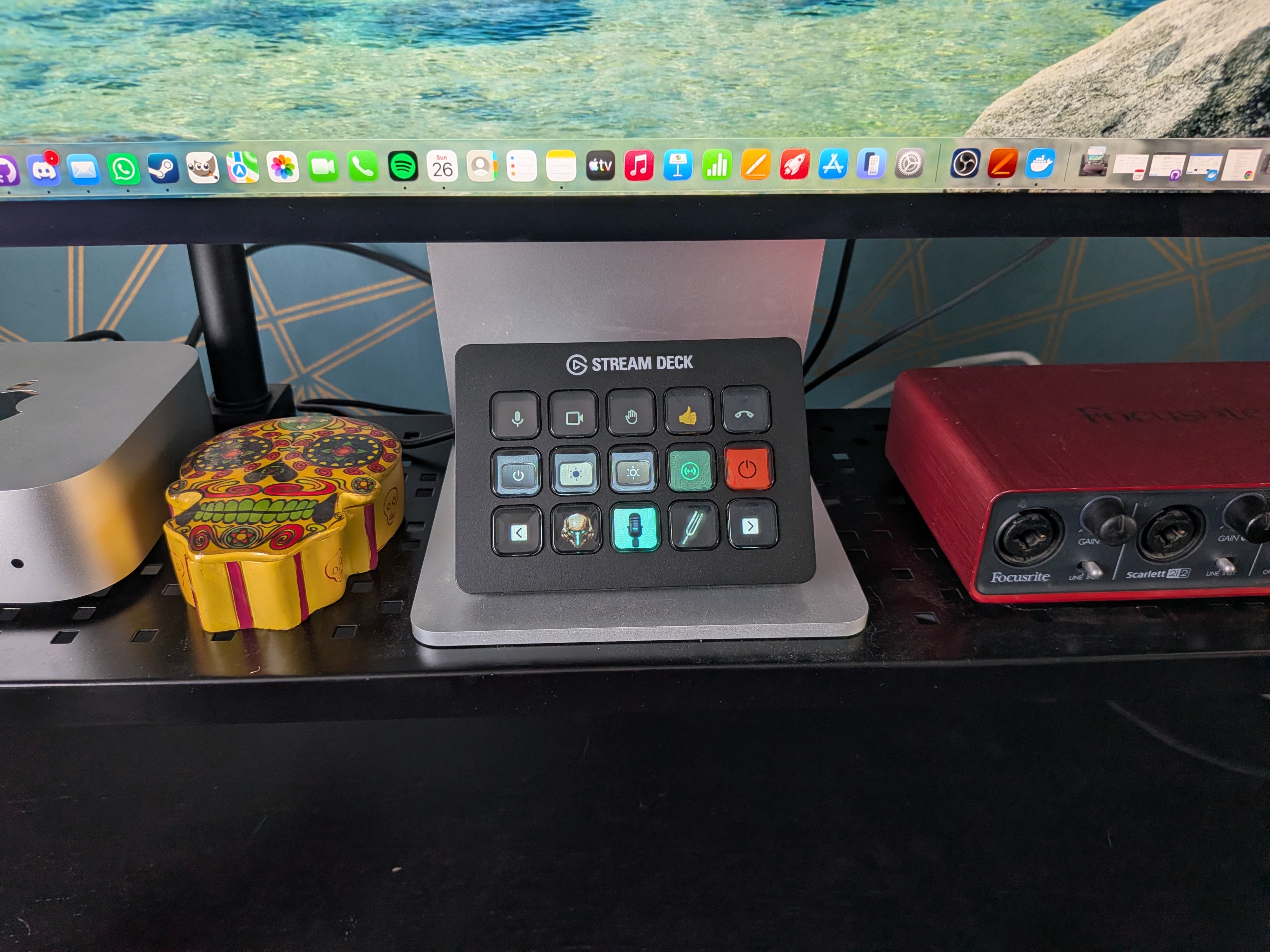
In this Elgato Stream Deck MK.2 review, I bought it mainly to control my camera, lights, and music during work-from-home meetings, where I am constantly switching between calls and focus work.
The idea was simple: reduce the small bits of friction that happen dozens of times a day. Muting audio, turning cameras on and off, adjusting lighting, stopping music before a call, and switching between work modes without digging through menus or apps.
After using it daily, it has become less of a “nice extra” and more of a quick control layer for everything I do at my desk.
Who the Elgato Stream Deck MK.2 Is For
The Elgato Stream Deck MK.2 is designed for people who rely on fast, repeatable actions throughout their day.
It fits best if you are:
A streamer or content creator
Managing scenes, overlays, audio, and stream controls without leaving your main workflow.Working from home with frequent meetings
Quickly controlling camera, microphone, and meeting states without scrambling through settings every time a call starts.Someone who wants physical shortcuts for digital tasks
If you prefer pressing a button over remembering keyboard shortcuts or navigating menus, this is built for that.Automating repetitive desktop tasks
Things like stopping music before calls, launching apps, or switching between work profiles instantly.
It is less useful if you do not have repetitive workflows or if you prefer minimal setup and configuration.
Design, Build Quality, and Desk Feel
The first impression is that it feels solid and well thought out.
The build of the Elgato Stream Deck MK.2 is clean and practical, and the non-slip base actually works properly. Once it is on the desk, it stays in place even during frequent use.
It also blends into a desk setup nicely. It does not feel like an accessory you need to hide away, it feels like part of the workspace.
The LCD key screens are one of the best parts. They are bright, responsive, and update quickly, which makes it easy to see exactly what each button does at a glance without thinking.
Setup Experience and Learning Curve
Setup is straightforward, but the real value takes time to build.
You can get it running quickly, but to actually make it useful for your workflow, you need to spend time configuring plugins, apps, and custom actions.
That is where the learning curve comes in. It is not difficult, but it is layered. You gradually build it around how you actually work.
Once it is set up properly, it becomes stable and predictable. You do not really need to think about it again after that.
Performance in Daily Use
This is where the Elgato Stream Deck MK.2 starts to make sense.
In everyday use, it is all about speed and removing small friction points.
Instead of juggling apps or settings during meetings or streams, everything becomes a single button press.
In my setup, the most useful actions are:
Muting and unmuting microphone instantly during calls
Turning camera on and off without opening settings
Controlling lights and scene setup before meetings
Stopping Spotify automatically before joining calls
Using Google Meet controls for audio and camera states via plugins
Switching between different desktop modes depending on what I am doing
Once it is configured, it becomes part of your workflow rather than something you actively think about. It just sits on the desk and removes small repetitive tasks throughout the day.
The screens are fast to refresh, actions trigger instantly, and reliability is solid once everything is set up.
Pros and Cons
Pros
Excellent for streamers and meeting-heavy workflows
Physical buttons make automation fast and intuitive
Great LCD key displays with quick refresh
Stable non-slip base keeps it firmly in place
Strong for reducing repetitive desktop actions
Clean, professional build quality
Cons
Takes time to fully set up and understand
Requires multiple apps and plugins to unlock full value
Final Verdict
The Elgato Stream Deck MK.2 earns a 4 out of 5.
It is not something you fully appreciate in the first hour, it becomes useful over time as you build it into your workflow.
For streamers, people working from home with constant meetings, or anyone who wants physical control over repetitive digital actions, it is a genuinely useful tool that removes a lot of small daily friction.
Once set up properly, it becomes something you rely on without even thinking about it.