
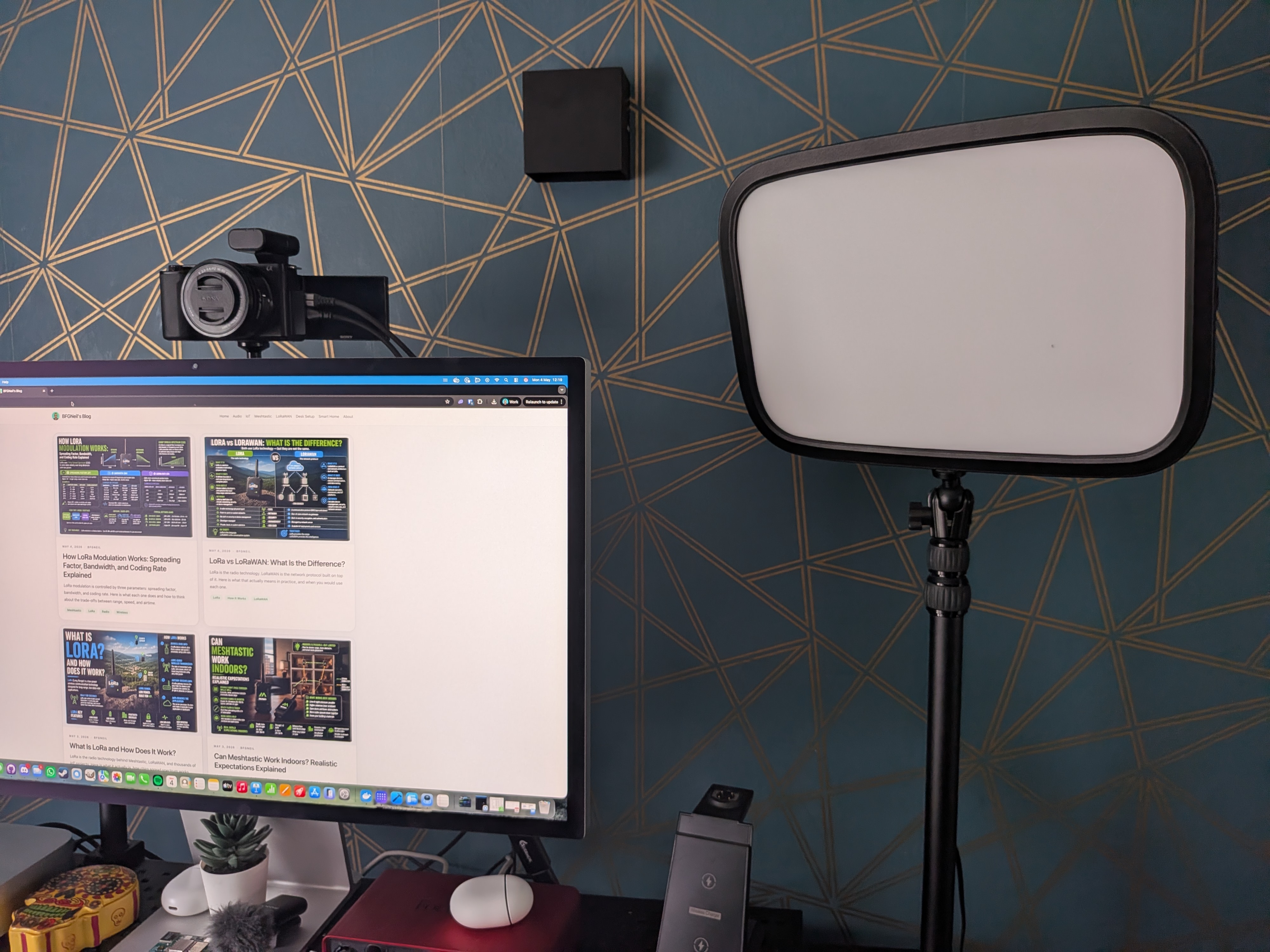
Overview
The Elgato Key Light is a professional-grade LED panel designed for streamers, content creators, and anyone who wants to look significantly better on camera. Made by Corsair's Elgato brand, it delivers up to 2800 lumens of diffused, adjustable light that you control entirely from your desk. No reaching up to fumble with physical switches. Amazon ASIN: B07L755X9G.
At £144.99, it sits firmly in the premium tier for desk lighting. I picked one up primarily to improve the quality of my video calls, and after extended daily use, including pairing it with the Elgato Stream Deck for scene automation, it has become one of the most impactful additions to my desk setup. The improvement to how I look on camera was immediately noticeable, and the software integration turned out to be far more useful than I initially expected.
Who It Is For
The Key Light is an obvious pick for streamers and content creators who need consistent, professional lighting. But it is equally well-suited to remote workers who spend several hours a day on video calls and want to look less like they are speaking from a dimly lit spare room. If you regularly present to clients, lead team standups, or join meetings where camera quality matters for credibility, this is one of the most effective upgrades available.
It also works exceptionally well as part of a wider Elgato ecosystem. If you already own or are considering a Stream Deck, the Key Light pairs natively with it and enables powerful one-button scene switching. I cover that in the Performance section below.
If you are after something to light a room for general use or replace a bedroom lamp, look elsewhere. This is a focused tool designed to make you look good on camera, and the price reflects that. For casual users who only video call a few times a month, the cost may be difficult to justify. Even so, the quality difference is hard to ignore once you have seen it.
Design and Build
The Key Light's design is clean and functional. The panel is a large rectangular LED array housed in a brushed metal-finished frame that keeps weight low while still feeling premium. The front diffuser panel, a frosted plastic layer over the LEDs, significantly softens the output, producing a wide, even spread of light rather than the harsh hotspots you get with uncovered ring lights or cheaper LED strips.
It mounts via a two-part desk clamp system: a vertical pole clamps to the edge of your desk, and the light attaches to the pole via a ball-and-socket joint that lets you adjust both height and angle independently. The desk clamp is chunky and well-engineered: once tightened, it shows no drift or slippage, even after weeks of repeated adjustments. Elgato includes a cable management clip on the pole to keep the power cable routed neatly.
The footprint on the desk is minimal, given the amount of light it produces. The panel sits off to the side and above eye level without feeling intrusive, and the matte finish avoids picking up distracting reflections in your webcam frame. The single white-and-silver colourway is neutral enough to fit into most setups without standing out.
Setup Experience
Physical assembly took under ten minutes from opening the box. The steps are straightforward: clamp the pole to the desk, thread the power cable through the cable clip, screw the ball-head mount into the threaded socket on the back of the light, attach it to the pole, and tighten the locking collar. The instructions are illustrated and clear, and there are no fiddly small parts to lose.
Software setup is equally painless. Once the light is powered on, you install the Elgato Control Centre app on your Mac or Windows machine. The Key Light connects over 2.4 GHz Wi-Fi, and the pairing flow inside the app guides you through selecting your network and entering the password. The app detected the light quickly, and I had it responding to software controls within a couple of minutes of first power-on.
If you already use an Elgato Stream Deck, the Key Light integration requires no additional setup beyond having Control Centre running. The Stream Deck software picks up the light automatically once Control Centre is installed, and actions for brightness and colour temperature adjustments become available immediately in the Stream Deck action library.
Performance in Daily Use
The headline spec is 2800 lumens of output with a 2900–7000 K colour temperature range, and both figures hold up in real-world use. At the warm end, around 2900 K, the light produces a sunset amber tone that works well for evening sessions or a softer, more relaxed aesthetic. At the cool end, at 7000 K, it produces a crisp, near-daylight white that pairs well with natural window light on overcast days. In practice, I land around 4500–5500 K for most video calls, which reads as neutral and professional on camera, with no visible colour cast.
Brightness runs from 0 to 100% with smooth, flicker-free transitions at all levels. At full brightness, the panel is genuinely powerful. I run mine at around 50–65% for typical desk use, and that is more than sufficient to dominate ambient room lighting and produce a well-exposed camera image even with the blinds closed.
The biggest tangible impact has been on meeting quality. Before the Key Light, my webcam image was entirely at the mercy of ambient room lighting: inconsistent, flat, and noticeably degraded on overcast days or in the evenings. With the Key Light positioned at approximately 45 degrees to my face and slightly above eye level, the difference is dramatic. The camera produces a far cleaner, better-exposed image with natural-looking shadow depth. More than one colleague has commented on the improvement without being prompted.
Where the Key Light really earns its price premium is in combination with the Elgato Stream Deck MK2. I have a dedicated "Meetings" button on the Stream Deck that, in a single press, silences my music, switches the Key Light to my preferred meeting preset at 5000 K and 60% brightness, and opens my video conferencing app. That kind of scene-based automation is simply not possible with a dumb LED panel, and it removes one less thing to think about before joining a call.
Heat output after extended use is noticeable but never uncomfortable. The rear panel gets warm, not hot, to the touch after a full day of use. There is no fan, so the Key Light runs completely silently. This matters more than it might seem; any buzzing or electrical hum from a light source can be picked up by a sensitive microphone during recording or calls.
Pros and Cons
The wide 2900–7000 K colour temperature range covers warm and cool presets effectively
Elgato Control Centre and Stream Deck integration allows powerful scene automation
Completely silent, with no fan noise whatsoever
Quick physical setup with no specialist tools required
Dramatic, immediately visible improvement to webcam image quality
£144.99 is a significant outlay for users who only video call occasionally
Wi-Fi only, with no wired option if your 2.4 GHz band is congested
Verdict
The Elgato Key Light is one of the most impactful single upgrades you can make to a desk setup if you spend meaningful time on video calls or streaming. The improvement to camera image quality is immediate and significant, the Control Centre software is well-executed, and the Stream Deck automation integration turns it from a smart desk light into a core part of a streamlined meeting workflow. The price is steep for occasional users, but for anyone regularly on camera for work or content creation, it quickly earns its cost and is hard to argue with.